Viewmodel
Left-hand viewmodel in BloxStrike
Updated 2026-10-16
On keyboard, press H to swap the weapon between right-hand and left-hand viewmodels. CandySkull explicitly confirms this key in a reply under the 7 October update video and says the demonstration was left out of the video. This is the creator’s documented keyboard method, not a claim that we tested every device or custom keybind.
Switch to the left hand, then back to the right
Enter a match or warmup with a weapon equipped. Close the game menu and any chat or text-entry field so your keyboard input goes to the match.
Press H once to swap the viewmodel to the other hand. Check the weapon and supporting arm, rather than only the weapon’s horizontal position. Press H again to return to the previous side.
The source is CandySkull’s reply to “left hand?” under the October update video, checked on 16 October 2026. The reply names H and explains that the video omitted the demonstration. Avisk’s 9 October recording around 3:17–3:34 separately shows hand switching; the developer’s footage also establishes that left-side presentation exists. None of these sources establishes a touchscreen button or controller binding.
What the October footage actually confirms
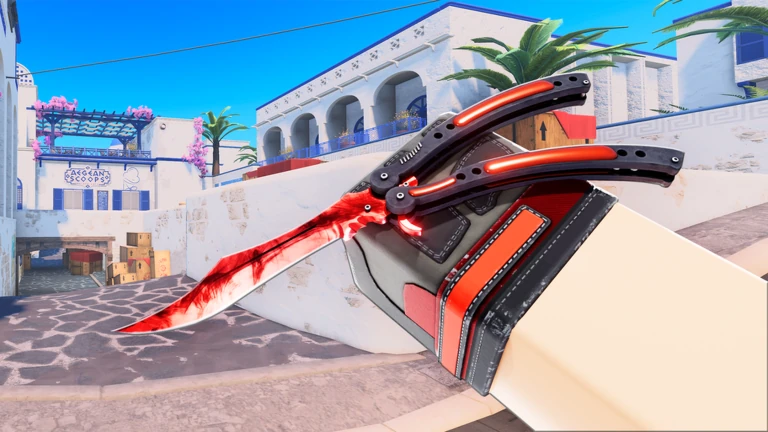
The developer’s 6 October 2026 aspect-ratio demonstration shows the rifle and supporting arm on the right before the menu sequence, and on the left after it, at approximately 0:15. This is first-party visual evidence of a left-side presentation; it is not a skin name or a CS2 screenshot.
Avisk’s earlier 2:40–3:10 settings section demonstrates Video → Advanced → Aspect Ratio. That slider changes the screen’s proportions; it is not the hand-switch control. The hand-switching segment follows it, starting around 3:17. The H instruction comes from CandySkull’s explicit reply, not from guessing an input from a gameplay frame.
If H does not change your viewmodel
First close chat and other text fields and return focus to the match. If you have customized keyboard assignments, inspect your saved controls before resetting settings. The creator’s H instruction does not override a binding you changed.
The game menu’s gear icon opens settings. The developer’s Nebula recording around 2:12–2:14 shows gear → Keybinds as the route to keyboard assignments. That older interface does not establish the wording of a current hand-switch row, so follow the labels in your own client rather than assuming the June menu already had the October feature.
A hand-side change and an X offset are different adjustments. An offset repositions the viewmodel; merely pushing a right-held weapon across the screen does not prove that the hands have been mirrored. Record your original setting before changing it and compare the same weapon facing the same wall.
Offsets, visibility, and returning to your old view
The older Destructoid settings guide documents viewmodel X, Y, and Z offsets and recommends zero values. That is an older editorial baseline, not a verified current default or a mandatory left-hand preset. Prefer your saved values when undoing an experiment; do not reset every setting to solve a single offset problem.
For visibility, change one control at a time and compare the crosshair, the nearest corner, and both sides of the doorway. No checked source establishes a specific “always on top” fix, the direction of every axis, or a combat-stat benefit for left-handed presentation. CS2 console commands are not documented BloxStrike controls.
FAQ
Can the gun appear on the left in BloxStrike?
Yes. The developer’s 6 October 2026 clip visibly switches the rifle from right-side to left-side presentation around 0:15. Avisk also shows switching in the October update recording.
What key switches hands in BloxStrike?
H on keyboard, according to CandySkull’s explicit reply under the 7 October update video. Press it to swap sides and press it again to swap back. Custom bindings and touchscreen or controller controls are not established by that reply.
Is X offset the left-hand switch?
Not necessarily. Offset adjustment changes screen position; it should not be described as a full hand switch without observing the specific control and result.
How do I open settings?
The official October footage shows the gear icon in the game menu. An older Destructoid guide names N, but this page does not treat that older keybind as universal across current clients and devices.
Keep going
Sources
- CandySkull’s own reply: H swaps hands; demonstration omitted from video (checked 16 Oct)
- Developer: right-to-left rifle presentation around 0:15, 6 Oct 2026
- CandySkull: stretched and left-hand update, 7 Oct 2026
- Avisk: hand-switching demonstration from 3:17, 9 Oct 2026
- Developer: gear → Keybinds interface, around 2:12
- Destructoid viewmodel notes